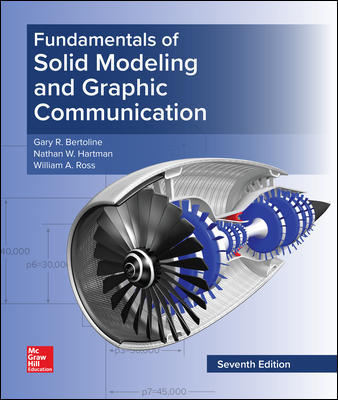
Fundamentals of Solid Modeling and Graphics Communication 7Th Edition By Gary Bertoline - Test Bank

Fundamentals of Solid Modeling and Graphics Communication 7Th Edition By Gary Bertoline - Test Bank   Instant Download - Complete Test Bank With Answers     Sample Questions Are Posted Below   Chapter 05 Problems: Introduction to Assembly Modeling KEY   When constructing an assembly model using 3D solid modeling software, the assembly model normally …

$19.99

Fundamentals of Solid Modeling and Graphics Communication 7Th Edition By Gary Bertoline – Test Bank


Instant Download – Complete Test Bank With Answers


Sample Questions Are Posted Below


Chapter 05 Problems: Introduction to Assembly Modeling KEY


  1. When constructing an assembly model using 3D solid modeling software, the assembly model normally begins with


  1. a feature.
  2. an instance.
  3. a sub component.
  4. a base component.


Accessibility: Keyboard Navigation
Section: 05.01 Assembly Modeling

  1. In solid modeling software, defining the geometric relations between components in a 3D assembly model is primarily done with ____________ tools.


  1. feature and coordinate plane
  2. mate and align
  3. instance and component
  4. parallel and perpendicular


Accessibility: Keyboard Navigation
Section: 05.01 Assembly Modeling

  1. A(n) ______________ in an assembly defines surface coplanar with the direction vector opposing each other.


  1. mate
  2. offset
  3. align
  4. integrate


Accessibility: Keyboard Navigation
Section: 05.01 Assembly Modeling

  1. When constructing an assembly model using 3D solid modeling software, the assembly model begins with bringing in


  1. a feature.
  2. an instance.
  3. a sub component.
  4. a base component.


Accessibility: Keyboard Navigation
Section: 05.01 Assembly Modeling

  1. In solid modeling software, defining the geometric relations between components in a 3D assembly model is done primarily with _______ and  ________ tools.


  1. feature, coordinate plane
  2. mate, align
  3. instance, component
  4. parallel, perpendicular


Accessibility: Keyboard Navigation
Section: 05.01 Assembly Modeling

  1. When the same part file is brought into an assembly model more than once, it is referred to as


  1. an instance.
  2. a sub file.
  3. a sub component.
  4. a base component.


Accessibility: Keyboard Navigation
Section: 05.01 Assembly Modeling

  1. When a fully free, or unconstrained, 3D part file is merged into an assembly model it will have


  1. two degrees of freedom.
  2. three degrees of freedom.
  3. six degrees of freedom.
  4. zero degrees of freedom.


Accessibility: Keyboard Navigation
Section: 05.01 Assembly Modeling

  1. Having the model components move away from each other along the lines of geometric constraints applied in the assembly model is a useful way to create


  1. an exploded view.
  2. a top-down view.
  3. a trimetric view.
  4. a perspective view.


Accessibility: Keyboard Navigation
Section: 05.01 Assembly Modeling

  1. In an assembly model, a part that has zero degrees of freedom relative to other parts is considered to be


  1. floating.
  2. aligned.
  3. fixed.
  4. co-planar.


Accessibility: Keyboard Navigation
Section: 05.01 Assembly Modeling

  1. In building an assembly model, individual part files that are brought into the assembly are called


  1. instances.
  2. components.
  3. sub files.
  4. mates.


Accessibility: Keyboard Navigation
Section: 05.01 Assembly Modeling

  1. When multiple copies of the same part file are brought into an assembly model, they are referred to as


  1. instances.
  2. mates.
  3. standard parts.
  4. links.


Accessibility: Keyboard Navigation
Section: 05.01 Assembly Modeling

  1. Modification of dimensional constraints and performing geometry removal within the assembly modeler, where the final geometry of the part models has not been defined before bringing them into the assembly model, is an example of


  1. bottom-up design.
  2. lateral design.
  3. top-down design.
  4. conceptual design.


Accessibility: Keyboard Navigation
Section: 05.01 Assembly Modeling

  1. The two most commonly used basic tools used to define geometric relationships between parts when placed into an assembly model are


  1. tangency and perpendicularity.
  2. mate and align.
  3. edge and axis.
  4. angles and surfaces.


Accessibility: Keyboard Navigation
Section: 05.01 Assembly Modeling

  1. A fully constrained component in a 3D assembly model in CAD has zero degrees of freedom.

TRUE


Accessibility: Keyboard Navigation
Section: 05.01 Assembly Modeling

  1. It is possible to use both global and local coordinate systems to orient and locate components in a 3D assembly model.

TRUE


Accessibility: Keyboard Navigation
Section: 05.01 Assembly Modeling

  1. A 3D sub-assembly model can contain only one part file when merged or loaded into another assembly model.

FALSE


Accessibility: Keyboard Navigation
Section: 05.01 Assembly Modeling

  1. A 3D solid part whose geometry must be fully defined before it is merged into an assembly model is an example of top-down modeling.

FALSE


Accessibility: Keyboard Navigation
Section: 05.01 Assembly Modeling

  1. If an assembly model is going to be used in kinematic or dynamic analysis, then all components must have six degrees of freedom.

FALSE


Accessibility: Keyboard Navigation
Section: 05.01 Assembly Modeling

  1. Construction of a 3D assembly model normally begins with bringing in a base component.

TRUE


Accessibility: Keyboard Navigation
Section: 05.01 Assembly Modeling

  1. Instancing of components does not appreciably to the size of the assembly model since all instances refer back to the same part file.

TRUE


Accessibility: Keyboard Navigation
Section: 05.01 Assembly Modeling

  1. In an assembly model, a component can be either a single part file or a sub-assembly file consisting of its own components.

TRUE


Accessibility: Keyboard Navigation
Section: 05.01 Assembly Modeling

  1. Parallelism and tangency are the most commonly used constraints when creating an assembly.

FALSE


Accessibility: Keyboard Navigation
Section: 05.01 Assembly Modeling

  1. In a 3D assembly model, incoming 3D components have six degrees of freedom:  three rotational and three linear.

TRUE


Accessibility: Keyboard Navigation
Section: 05.01 Assembly Modeling

  1. It is not possible to use construction geometry in a 3D assembly model.

FALSE


Accessibility: Keyboard Navigation
Section: 05.01 Assembly Modeling

  1. The offset constraint modifier is used to vary the spacing between components in a 3D assembly model.

TRUE


Accessibility: Keyboard Navigation
Section: 05.01 Assembly Modeling

  1. In an assembly model, there is a constraint for aligning the central axis of a hole with the central axis of a shaft.


TRUE


Accessibility: Keyboard Navigation
Section: 05.01 Assembly Modeling


Chapter 05 Problems: Introduction to Assembly Modeling Summary

Category # of Questions
Accessibility: Keyboard Navigation 26
Section: 05.01 Assembly Modeling 26


Additional information

Add Review

Your email address will not be published. Required fields are marked *