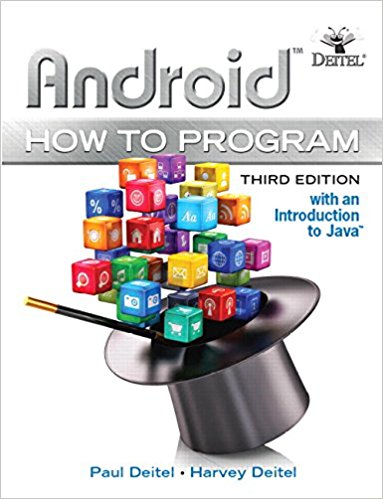
Android How To Program 3rd Edition By Deitel & Deitel - Test Bank

Android How To Program 3rd Edition By Deitel & Deitel - Test Bank   Instant Download - Complete Test Bank With Answers     Sample Questions Are Posted Below   Chapter 5 Doodlz App Introduction Q1. Android requires the user’s permission to allow an app to save files. In Android 6.0, the app ________. prompts …

$19.99

Android How To Program 3rd Edition By Deitel & Deitel – Test Bank


Instant Download – Complete Test Bank With Answers


Sample Questions Are Posted Below


Chapter 5 Doodlz App

  • Introduction

Q1. Android requires the user’s permission to allow an app to save files. In Android 6.0, the app ________.

  1. prompts the user at installation time with a complete list of permissions the app requires.
  2. prompts the user at installation time and execution time with a complete list of permissions the app requires.
  3. requests each permission individually at execution time, only when the permission is required to perform a given task for the first time.
  4. None of the above.

Answer: c. requests each permission individually, only when the permission is required to perform a given task for the first time

  • Test-Driving the Doodlz App in an Android Virtual Device (AVD)

Q1. Colors are defined using the ARGB color scheme in which the ________ (i.e., transparency), red, green and blue components, respectively, are specified by integers in the range 0–255.

  1. transparency
  2. translucency
  3. alpha
  4. None of the above.

Answer: c. alpha

  • Technologies Overview

No questions.

  • Activity and Fragment Lifecycle Methods

Q1. Which of the following statements is false?

  1. A Fragment’s lifecycle is tied to that of its parent Activity.
  2. There are six Activity lifecycle methods that have corresponding Fragment lifecycle methods—onCreate, onStart, onResume, onPause, onStop and onDestroy.
  3. When the system calls life cycle methods on an Activity, it will also call the corresponding methods (and potentially other Fragment lifecycle methods) on all of the Activity’s attached Fragments.
  4. An Activity’s onResume method is called when a Fragment is on the screen and ready for the user to interact with it.

Answer: b. There are six Activity lifecycle methods that have corresponding Fragment lifecycle methods—onCreate, onLoad, onResume, onPause, onStop and onDestroy. Actually, there are six Activity lifecycle methods that have corresponding Fragment lifecycle methods—onCreate, onStart, onResume, onPause, onStop and onDestroy.


Q2. Which of the following statements is false?

  1. When an Activity hosts Fragments and the Activity is resumed, all of its Fragments’ onResume methods are called.
  2. An Activity’s onPause method is called when another Activity receives the focus, which pauses the one that loses the focus and sends it to the background.
  3. When an Activity hosts Fragments and the Activity is paused, all of its Fragments’ onPause methods are called.
  4. When an app is paused, it should ensure that listeners for sensor events are still active.

Answer: d. When an app is paused, it should ensure that listeners for sensor events are still active. Actually, when an app is paused, it should remove listeners for sensor events so these events are not delivered to the app when it’s not on the screen. This saves battery.

  • Custom Views

No questions.

  • Using SensorManager to Listen for Accelerometer Events

Q1. Most devices have a(n) ________ for detecting device movement.

  1. accelerator
  2. speed sensor
  3. accelerometer
  4. None of the above.

Answer: c. accelerometer

  • Custom DialogFragments

No questions.

  • Drawing with Canvas, Paint and Bitmap

Q1. Each drawing method in class Canvas uses an object of class ________ (package android.graphics) to specify drawing characteristics, including color, line thickness, font size and more.

  1. Draw
  2. Characteristics
  3. Settings
  4. Paint

Answer: d. Paint

  • Processing Multiple Touch Events and Storing Lines in Paths

Q1. A ________ object (package android-.graphics) represents line segments and curves.

  1. Segment
  2. Line
  3. Path
  4. Curve

Answer: c. Path


Q2. In addition to standard touch-event handling, Android 6.0 provides enhanced support for using a(n) ________ stylus with apps, including access to pressure data and which stylus button the user presses.

  1. Wi-Fi
  2. Bluetooth
  3. NFC
  4. Ethernet

Answer: b. Bluetooth

  • Saving to the Device

Q1. A(n) ________ (package android-.content) enables the app to read data from and store data on a device.

  1. Content-Resolver
  2. Resolver
  3. ContentAccessor
  4. None of the above

Answer: a. Content-Resolver

  • Printing and the Android Support Library’s PrintHelper Class

Q1. Class ________ provides a user interface for selecting a printer, has a method for determining whether a given device supports printing and provides a method for printing a Bitmap.

  1. Printer
  2. PrinterUI
  3. PrintHelper
  4. None of the above

Answer: c. PrintHelper

  • New Android 6.0 (Marshmallow) Permissions Model

Q1. Which of the following statements is false?

  1. Android requires the permission android.permission.WRITE_EXTERNAL_PERMISSION before an app can write to external storage.
  2. Before Android 6.0, a user was required at start time to grant in advance all permissions that an app would ever need—this caused many people not to install certain apps.
  3. With the new permissions model, the app is installed without asking for any permissions. Instead, the user is asked to grant a permission only the first time the corresponding feature is used.
  4. Once the user grants a permission, the app has that permission until the app is reinstalled or the user changes the app’s permissions via the Android Settings app.

Answer: b. Before Android 6.0, a user was required at start time to grant in advance all permissions that an app would ever need—this caused many people not to install certain apps. b. Before Android 6.0, a user was required at installation time to grant in advance all permissions that an app would ever need—this caused many people not to install certain apps.

  • Adding Dependencies Using the Gradle Build System

Q1. Android Studio uses the ________ build system to compile your code into an APK file—the installable app. This system also handles project dependencies, such as including in the build process any libraries used by the app.

  1. Buck
  2. Maven
  3. Bazel
  4. Gradle

Answer: d. Gradle build

  • Creating the Project and Resources

No questions.

  • Creating the Project

No questions.

  • Gradle: Adding a Support Library to the Project

No questions.

  • xml

Q1. Google’s material design specification indicates that a Button’s text should ________.

  1. use all lowercase letters
  2. use all capital letters (e.g., CANCEL or SET COLOR) for languages that support them
  3. use initial uppercase letters
  4. None of the above

Answer: b. use all capital letters (e.g., CANCEL or SET COLOR) for languages that support them

  • Importing the Material Design Icons for the App’s Menu Items

No questions.

  • MainActivityFragment Menu

Q1. We use each menu item’s ________ property to specify that the menu item should be displayed on the app bar if there is room.

  1. showAsAction
  2. showOnActionBar
  3. showIfRoom
  4. None of the above

Answer: a. showAsAction

  • Adding a Permission to xml

Q1. In addition to using Android 6.0’s new permissions model in which the app asks the user to grant permissions dynamically, each app also must specify any permissions it uses in ________.

  1. class MainActivity
  2. strings.xml
  3. permissions.xml
  4. AndroidManifest.xml

Answer: d. AndroidManifest.xml

  • Building the App’s GUI

No questions.

  • xml Layout for MainActivity

No questions.

  • xml Layout for MainActivityFragment

No questions.

  • xml Layout for ColorDialogFragment

No questions.

  • xml Layout for LineWidthDialogFragment

No questions.

  • Adding Class EraseImageDialogFragment

No questions.

  • MainActivity Class

No questions.

  • MainActivityFragment Class

No questions.

  • package Statement, import Statements and Fields

Q1. Accelerometer information is delivered to the app as ________ values.

  1. double
  2. String
  3. float
  4. int

Answer: c. float

  • Overridden Fragment Method onCreateView

Q1. A Fragment can place items in the app’s app bar and options menu. To do so, the Fragment must call its ________ method with the argument true.

  1. setHasOptionsMenu
  2. setOptionsMenu
  3. setMenu
  4. setHasMenu

Answer: a. setHasOptionsMenu

  • Methods onResume and enableAccelerometerListening

Q1. A ________ is used to register listeners for accelerometer events.

  1. AccelerometerManager
  2. ListenerManager
  3. SensorProcessor
  4. SensorManager

Answer: d. SensorManager

  • Methods onPause and disableAccelerometerListening

Q1. You use class SensorManager’s ________ method to stop listening for accelerometer events.

  1. reset
  2. unregisterListener
  3. stopListening
  4. None of the above

Answer: b. unregisterListener

  • Anonymous Inner Class for Processing Accelerometer Events

Q1. You override SensorEventListener method ________ to process accelerometer events. This method should handle sensor events quickly or to copy the event data because the array of sensor values is reused for each sensor event.

  1. sensorChanged
  2. onSensorEvent
  3. onSensorChanged
  4. None of the above

Answer: c. onSensorChanged

  • Method confirmErase

No questions.

  • Overridden Fragment Methods onCreateOptionsMenu and onOptionsItemSelected

Q1. When the user selects a Fragment’s menu item, Fragment method ________  responds to the selection.

  1. onItemSelected
  2. onMenuItemSelected
  3. onOptionsItemSelected
  4. onMenuSelected

Answer: c. onOptionsItemSelected

  • Method saveImage

Q1. If an app does not have a needed permission (such as android.permission.WRITE_EXTERNAL_STORAGE), use the built-in ________ method to determine whether an explanation of why the app needs this permission should be displayed.

  1. shouldShowRationale
  2. shouldShowPermissionRationale
  3. shouldShowRequestRationale
  4. shouldShowRequestPermissionRationale

Answer: d. shouldShowRequestPermissionRationale

  • Overridden Method onRequestPermissionsResult

No questions.

  • Methods getDoodleView and setDialogOnScreen

Q1.  Which of the following statements is false?

  1. When an app’s Fragments interact with one another directly, we call this a loosely coupled approach.
  2. Generally, a parent Activity manages an app’s Fragment interactions.
  3. To pass data to a Fragment, the Activity provides a Bundle of arguments.
  4. Each Fragment class typically provides an interface of callback methods that its Activity implements. When the Fragment needs to notify its parent Activity of a state change, the Fragment calls the appropriate callback method.

Ans: a. When an app’s Fragments interact with one another directly, we call this a loosely coupled approach. Actually this kind of direct interaction is a tightly coupled approach.

  • DoodleView Class

No questions.

  • package Statement and import Statements

No questions.

  • static and Instance Variables

No questions.

  • Constructor

Q1. Passing true to Paint’s ________ method enables smoothing the edges of the lines.

  1. setSmoothing
  2. setHigherResolution
  3. setAntiAlias
  4. None of the above

Answer: c. setAntiAlias

  • Overridden View Method onSizeChanged

Q1. In apps that support both portrait and landscape orientations, onSizeChanged is called each time the user rotates the device. This could result in a new Bitmap each time the method is called. When replacing a Bitmap, you should call the prior Bitmap’s ________ method to release its resources.

  1. reuse
  2. recycle-
  3. release
  4. discard

Answer: b. recycle-

  • Methods clear, setDrawingColor, getDrawingColor, setLine-Width and getLineWidth

Q1. Call inherited View method ________ to indicate that the View needs to be redrawn.

  1. redraw
  2. repaint
  3. update
  4. invalidate

Answer: d. invalidate

  • Overridden View Method onDraw

Q1. When a View needs to be redrawn, its ________ method is called.

  1. onUpdateRequred
  2. onDraw
  3. onPaint
  4. None of the above

Answer: b. onDraw

  • Overridden View Method onTouchEvent

Q1. Which of the following statements is false?

  1. Motion-Event’s getActionMasked method returns an int representing the MotionEvent type, which you can use with constants from class MotionEvent to determine how to handle each event.
  2. Motion-Event’s getActionIndex method returns an integer index representing which finger caused the event. This index is the finger’s unique ID.
  3. If the action is MotionEvent.ACTION_DOWN or MotionEvent.ACTION_POINTER_DOWN, the user touched the screen with a new finger. e. If the action is MotionEvent.ACTION_UP or MotionEvent.ACTION_POINTER_UP, the user removed a finger from the screen.
  4. The first finger to touch the screen generates a MotionEvent.ACTION_DOWN event, and all other fingers generate Motion-Event.ACTION_POINTER_DOWN events.

Answer: b. Motion-Event’s getActionIndex method returns an integer index representing which finger caused the event. This index is the finger’s unique ID. Actually, this index is not the finger’s unique ID—it’s simply the index at which that finger’s information is located in this MotionEvent object.

  • touchStarted Method

Q1. If a Path already exists for the given ID, we call Path’s ________ method to clear any existing points so we can reuse the Path for a new stroke.

  1. erase
  2. clear
  3. reset
  4. reuse

Answer: c. reset

  • touchMoved Method

Q1. Which of the following statements is false?

  1. The system MotionEvent passed from onTouchEvent contains touch information for multiple moves on the screen if they occur at the same time.
  2. MotionEvent method getPointerCount returns the number of touches the Motion-Event describes.
  3. MotionEvent-’s getX and getY methods to get the last coordinates for a drag event.
  4. MotionEvents are not generated when the user holds a finger motionless on the screen.

Answer:  d. MotionEvents are not generated when the user holds a finger motionless on the screen. Actually, many devices are sensitive enough to generate MotionEvents indicating small movements when the user is attempting to hold a finger motionless on the screen.

  • touchEnded Method

Q1.  Path’s ________ method clears the Path’s data.

  1. restart
  2. reset
  3. reinitialize
  4. clear

Answer: b. reset

  • Method saveImage

No questions.

  • Method printImage

Q1. PrintHelper.SCALE_MODE_FIT indicates that ________.

  1. the PrintHelper dialog should be scalled to fit on the screen
  2. the image should be scaled to fit in the PrintHelper dialog
  3. the image should fit within the printable area of the paper
  4. None of the above

Answer: c. the image should fit within the printable area of the paper

  • ColorDialogFragment Class

No questions.

  • Overridden DialogFragment Method onCreateDialog

Q1. SeekBar’s ________ method positions the SeekBar’s thumb.

  1. setPosition
  2. setProgress
  3. setValue
  4. setThumb

Answer: b. setProgress

  • Method getDoodleFragment

No questions.

  • Overridden Fragment Lifecycle Methods onAttach and onDetach

Q1. When a Fragment is removed from a parent Activity, method ________ is called.

  1. onDestruct
  2. onRemove
  3. onDisconnect
  4. onDetach

Answer: onDetach

  • Anonymous Inner Class That Responds to the Events of the Alpha, Red, Green and Blue SeekBars

Q1. Method ________ is called when the position of a SeekBar’s thumb changes.

  1. onSeekBarChanged
  2. onThumbPositionChanged
  3. onValueChanged
  4. onProgressChanged

Answer: onProgressChanged

  • LineWidthDialogFragment Class

No questions.

  • Method onCreateDialog

No questions.

  • Anonymous Inner Class That Responds to the Events of the widthSeekBar
  • EraseImageDialogFragment Class
  • EraseImageDialogFragment Class

No questions.


Additional information

Add Review

Your email address will not be published. Required fields are marked *