Subtotal: $574.79

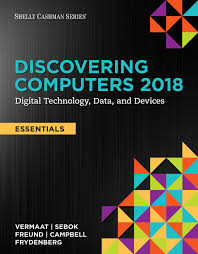
Discovering Computers, Essentials 2018 Digital Technology, Data, and Devices 1st Edition by Misty E. Vermaat - Test Bank

Discovering Computers, Essentials 2018 Digital Technology, Data, and Devices 1st Edition by Misty E. Vermaat - Test Bank   Instant Download - Complete Test Bank With Answers     Sample Questions Are Posted Below   True / False   1. Programs that enable you to perform maintenance-type tasks are called operating systems.     a. True …

$19.99

Discovering Computers, Essentials 2018 Digital Technology, Data, and Devices 1st Edition by Misty E. Vermaat – Test Bank


Instant Download – Complete Test Bank With Answers


Sample Questions Are Posted Below


True / False


1. Programs that enable you to perform maintenance-type tasks are called operating systems.


  a. True
  b. False


ANSWER:   False
POINTS:   1
REFERENCES:   4-2
Programs and Apps


2. The operating system serves as the interface between the user, applications, and hardware.

  a. True
  b. False


ANSWER:   True
POINTS:   1
REFERENCES:   4-3
Programs and Apps


3. A cloud app makes use of software and data that are not stored on your computer or mobile device.

  a. True
  b. False


ANSWER:   True
POINTS:   1
REFERENCES:   4-4
Programs and Apps


4. Freeware has no copyright restrictions.

  a. True
  b. False


ANSWER:   False
POINTS:   1
REFERENCES:   4-5
Programs and Apps


5. When you install an app on one computer or device, it will install automatically on any other computers and devices on the same subscription plan.

  a. True
  b. False


ANSWER:   True
POINTS:   1
REFERENCES:   4-5
Programs and Apps


6. Software registration typically is required.

  a. True
  b. False


ANSWER:   False
POINTS:   1
REFERENCES:   4-6
Programs and Apps


7. To cut selected text on a Windows computer, press COMMAND+X.

  a. True
  b. False


ANSWER:   False
POINTS:   1
REFERENCES:   4-8
Productivity Applications


8. The laws against plagiarism are the same whether copying content from a respected news source, a personal blog, or social media.

  a. True
  b. False


ANSWER:   True
POINTS:   1
REFERENCES:   4-8
Productivity Applications


9. Cambria and Calibri are examples of font styles.

  a. True
  b. False


ANSWER:   False
POINTS:   1
REFERENCES:   4-9
Productivity Applications


10. A format checker identifies passive voice and run-on sentences.

  a. True
  b. False


ANSWER:   False
POINTS:   1
REFERENCES:   4-11
Productivity Applications


11. You should use a database rather than a spreadsheet if you want to collect, reorganize and filter data, and/or create reports from the data.

  a. True
  b. False


ANSWER:   True
POINTS:   1
REFERENCES:   4-14
Productivity Applications


12. A text editor is used to type information when it does not need to be formatted with fonts or other styles.

  a. True
  b. False


ANSWER:   True
POINTS:   1
REFERENCES:   4-14
Productivity Applications


13. Many email applications include calendar and contact management features.

  a. True
  b. False


ANSWER:   True
POINTS:   1
REFERENCES:   4-14
Productivity Applications


14. You can use legal software to prepare a will.

  a. True
  b. False


ANSWER:   True
POINTS:   1
REFERENCES:   4-19
Productivity Applications


15. Mobile payment providers state that the use of their payment apps is more secure than using a credit card.

  a. True
  b. False


ANSWER:   True
POINTS:   1
REFERENCES:   4-22
Productivity Applications


16. A segment of a video is called a slide.

  a. True
  b. False


ANSWER:   False
POINTS:   1
REFERENCES:   4-26
Graphics and Media Applications


17. Video editing software typically includes audio editing capabilities.

  a. True
  b. False


ANSWER:   True
POINTS:   1
REFERENCES:   4-26
Graphics and Media Applications


18. Users of website authoring software must have advanced HTML skills.

  a. True
  b. False


ANSWER:   False
POINTS:   1
REFERENCES:   4-26
Graphics and Media Applications


19. Media players often allow you to burn audio CDs.

  a. True
  b. False


ANSWER:   True
POINTS:   1
REFERENCES:   4-27
Graphics and Media Applications


20. The voice command “OK, Google” will activate your device’s search engine.

  a. True
  b. False


ANSWER:   False
POINTS:   1
REFERENCES:   4-29
Personal Interest Applications


21. Streaming media uses only small amounts of data.

  a. True
  b. False


ANSWER:   False
POINTS:   1
REFERENCES:   4-30
Personal Interest Applications


22. Many routers also can function as a hardware firewall.

  a. True
  b. False


ANSWER:   True
POINTS:   1
REFERENCES:   4-32
Security Tools


23. You should run multiple antivirus programs on your computer or mobile device.

  a. True
  b. False


ANSWER:   False
POINTS:   1
REFERENCES:   4-34
Security Tools


24. Because they are compressed, you usually cannot use backup files in their backed up form.

  a. True
  b. False


ANSWER:   True
POINTS:   1
REFERENCES:   4-39
File, Disk, and System Management Tools


25. A power management tool monitors a laptop or mobile device’s battery usage.

  a. True
  b. False


ANSWER:   True
POINTS:   1
REFERENCES:   4-39
File, Disk, and System Management Tools


Multiple Choice


26. Linux is an example of a(n) ______.

  a. backup utility
  b. operating system
  c. lifestyle app
  d. security software


ANSWER:   b
POINTS:   1
REFERENCES:   4-3
Programs and Apps


27. Which of the following is NOT an example of an operating system?

  a. macOS
  b. Android
  c. Office
  d. Windows


ANSWER:   c
POINTS:   1
REFERENCES:   4-3
Programs and Apps


28. A(n) ______ version is an application you can use at no charge for a limited time to see if it meets your needs.

  a. preview
  b. beta
  c. preliminary
  d. trial


ANSWER:   d
POINTS:   1
REFERENCES:   4-4
Programs and Apps


29. What is an EULA?

  a. A copyright.
  b. The right to use a program or app.
  c. A type of program or app.
  d. A software update.


ANSWER:   b
POINTS:   1
REFERENCES:   4-6
Programs and Apps


30. Under what category of programs and apps do databases and enterprise computing fall?

  a. productivity
  b. security
  c. file, disk, and system management
  d. communications


ANSWER:   a
POINTS:   1
REFERENCES:   4-7
Programs and Apps


31. Under what category of programs and apps do screen savers and backup programs fall?

  a. productivity
  b. security
  c. file, disk, and system management
  d. personal interest


ANSWER:   c
POINTS:   1
REFERENCES:   4-7
Programs and Apps


32. The keyboard shortcut for pasting text is CTRL+______ or COMMAND+______.

  a. P
  b. X
  c. V
  d. C


ANSWER:   c
POINTS:   1
REFERENCES:   4-8
Productivity Applications


33. Font size is gauged by a measurement system called ______.

  a. points
  b. pixels
  c. em units
  d. kerning


ANSWER:   a
POINTS:   1
REFERENCES:   4-9
Productivity Applications


34. Columns and rows in a spreadsheet collectively are called a(n) ______.

  a. worksheet
  b. data table
  c. calculation area
  d. numerical document


ANSWER:   a
POINTS:   1
REFERENCES:   4-12
Productivity Applications


35. A(n) ______ is a request for specific data from a database.

  a. query
  b. retrieval
  c. filter
  d. function


ANSWER:   a
POINTS:   1
REFERENCES:   4-14
Productivity Applications


36. ______ software is an application that enables users to enter typed text or handwritten comments on a page.

  a. Memo writer
  b. Word processing
  c. Note taking
  d. Text editor


ANSWER:   c
POINTS:   1
REFERENCES:   4-14
Productivity Applications


37. Productivity suites typically include, at minimum, all of the following EXCEPT ______.

  a. spreadsheet
  b. word processing
  c. presentation
  d. project management


ANSWER:   d
POINTS:   1
REFERENCES:   4-15
Productivity Applications


Critical Thinking Questions
Case 4-1

Your friends know that you understand a lot about computers, both the technical details of how they operate as well as information about software. Lately, with all of the concerns about copyright infringement, friends have started to ask you about categories of application software and what each kind permits.


38. You tell your friends that all of the following are true EXCEPT:

  a. A copyright gives creators of original work exclusive rights to duplicate, publish, and sell their materials.
  b. Anyone can copy or distribute public-domain software to others at no cost.
  c. Customers using freeware can personalize the software to meet their needs.
  d. Some shareware programs become useless if no payment is sent after the trial period ends.


ANSWER:   c
POINTS:   1
REFERENCES:   4-5
Programs and Apps


39. You tell your friends that product ______ is a technique that some manufacturers use to ensure you do not install software on more computers than legally licensed.

  a. certification
  b. authorization
  c. enrollment
  d. activation


ANSWER:   d
POINTS:   1
REFERENCES:   4-6
Programs and Apps


Critical Thinking Questions

Case 4-2

Your boss, Molly, asks you to create a spreadsheet for sales data for the store at which you both work.


40. You want to add the numbers in a row or column. You use the SUM ______.

  a. calculator
  b. adder
  c. function
  d. operator


ANSWER:   c
POINTS:   1
REFERENCES:   4-12
Productivity Applications


41. In a spreadsheet, B4 represents a(n) ______.

  a. table
  b. worksheet
  c. formula
  d. cell


ANSWER:   d
POINTS:   1
REFERENCES:   4-12
Productivity Applications


42. Sales, marketing, and manufacturing are all types of software typically used by a(n) ______.

  a. enterprise
  b. small business
  c. individual
  d. power user


ANSWER:   a
POINTS:   1
REFERENCES:   4-20
Productivity Applications


43. Adjusting the ______ adjusts the difference in appearance between light and dark areas of the photo.

  a. brightness
  b. contrast
  c. sharpness
  d. compression


ANSWER:   b
POINTS:   1
REFERENCES:   4-25
Graphics and Media Applications


44. Adjusting the ______ increases or decreases the crispness of objects in the photo.

  a. brightness
  b. contrast
  c. sharpness
  d. compression


ANSWER:   c
POINTS:   1
REFERENCES:   4-25
Graphics and Media Applications


45. A(n) ______ combines video instruction and interaction with an instructor and students in an online classroom.

  a. MOOC
  b. CBT
  c. virtual course
  d. webclass


ANSWER:   a
POINTS:   1
REFERENCES:   4-27
Graphics and Media Applications


46. Which of the following communication application types requires real-time interaction?

  a. blog
  b. mobile messaging
  c. chat
  d. email


ANSWER:   c
POINTS:   1
REFERENCES:   4-31
Communications Applications


47. What kind of software do you need to use an Internet phone?

  a. FTP
  b. chat
  c. Internet messaging
  d. VoIP


ANSWER:   d
POINTS:   1
REFERENCES:   4-31
Communications Applications


48. A(n) ______ is the destructive event or prank the virus delivers.

  a. payload
  b. bomb
  c. explosion
  d. fireball


ANSWER:   a
POINTS:   1
REFERENCES:   4-32
Security Tools


49. Which virus type targets a computer’s start-up files?

  a. macro
  b. stealth
  c. boot sector
  d. kickstarter


ANSWER:   c
POINTS:   1
REFERENCES:   4-32
Security Tools


50. Which of the following best describes a rootkit?

  a. A destructive program disguised as a real program, such as a screensaver.
  b. A virus that changes its code as it delivers the infection.
  c. Replicates itself over a network to infect computers and devices.
  d. A program that easily can hide and allow someone to take full control of your computer from a remote location.


ANSWER:   d
POINTS:   1
REFERENCES:   4-33
Security Tools


COGNITIVE ASSESSMENT


51. Which of the following best describes an app?

  a. A program that makes users more productive.
  b. A series of related instructions.
  c. Coordinates activities among computer or mobile device hardware.
  d. Enables you to manage devices and media.


ANSWER:   a
POINTS:   1
REFERENCES:   4-2
Programs and Apps


52. Which of the following best describes open source software?

  a. Provided for use, modification, and redistribution.
  b. Distributed at no cost for a trial period.
  c. Copyrighted software provided at no cost.
  d. Donated for public use and has no copyright restrictions.


ANSWER:   a
POINTS:   1
REFERENCES:   4-5
Programs and Apps


53. You are developing a spreadsheet for your small business. You are in the process of removing and adding text. What phase are you in?

  a. creation
  b. editing
  c. formatting
  d. printing


ANSWER:   b
POINTS:   1
REFERENCES:   4-8
Productivity Applications


54. Which of the following is NOT true about presentation software?

  a. Presentations are visual aids to communicate information to a group.
  b. Presentations are viewed as clip shows.
  c. Presentation software typically provides a variety of layouts for each slide.
  d. When building a presentation, users can set the timing and add special effects.


ANSWER:   b
POINTS:   1
REFERENCES:   4-11
Productivity Applications


55. Which of the following is NOT true about databases?

  a. Each column contains data about a given item in the database, such as a person or product.
  b. Much of the information you access on the web is stored in databases.
  c. A database consists of a collection of tables.
  d. You can create forms and reports using data in a database.


ANSWER:   a
POINTS:   1
REFERENCES:   4-13
Productivity Applications


56. Which of the following is NOT true about software suites?

  a. The applications in the suite normally use a consistent interface and share features.
  b. A software suite typically costs more than purchasing each application individually.
  c. You can share information among applications.
  d. Some suites are available as web apps.


ANSWER:   b
POINTS:   1
REFERENCES:   4-15
Productivity Applications


57. You are in charge of an event at work. You want to plan and schedule events and resources. What type of software should you use?

  a. project management
  b. calendar
  c. database
  d. software suite


ANSWER:   a
POINTS:   1
REFERENCES:   4-15
Productivity Applications


58. Which of the following is NOT true about PDFs?

  a. Adobe Reader is downloadable for free.
  b. To read a PDF, you need the software that created the original document.
  c. PDF is an image file format.
  d. Productivity applications often integrate the ability to save a project as a PDF.


ANSWER:   b
POINTS:   1
REFERENCES:   4-19
Productivity Applications


59. You want to remove red-eye from photos you took with your digital camera. You should use photo ______ software.

  a. management
  b. editing
  c. illustration
  d. image


ANSWER:   b
POINTS:   1
REFERENCES:   4-25
Graphics and Media Applications


60. You are viewing a 3D graphic of a human body that you can use to visualize various muscles and organs by zooming in and out. What type of app are you likely using?

  a. media player
  b. augmented reality
  c. video
  d. CBT


ANSWER:   b
POINTS:   1
REFERENCES:   4-27
Graphics and Media Applications


61. A virus ______ is a known specific pattern of virus code that antivirus programs use to identify viruses.

  a. designation
  b. fingerprint
  c. signature
  d. impression


ANSWER:   c
POINTS:   1
REFERENCES:   4-34
Security Tools


62. Search tools typically use a(n) ______, which stores a variety of information about a file.

  a. index
  b. signature
  c. directory
  d. header


ANSWER:   a
POINTS:   1
REFERENCES:   4-37
File, Disk, and System Management Tools


63. Which of the following best describes disk defragmentation?

  a. Reorganizing the hard disk so that files are stored in contiguous sectors.
  b. Removing unnecessary files.
  c. Compressing backup and other files to increase disk storage.
  d. Installing partitions on the hard disk in order to run separate operating systems on the same computer.


ANSWER:   a
POINTS:   1
REFERENCES:   4-38
File, Disk, and System Management Tools


64. Compressed files sometimes are called ______ files.

  a. packed
  b. abridged
  c. zipped
  d. concentrated


ANSWER:   c
POINTS:   1
REFERENCES:   4-38
File, Disk, and System Management Tools


Completion


65. The operating system and other tools are collectively known as ______ software.

ANSWER:   system
POINTS:   1
REFERENCES:   4-2
Programs and Apps


66. A(n) ______ app is written for a specific platform and can take advantage of specific features of the devices on which they are installed.

ANSWER:   native
POINTS:   1
REFERENCES:   4-4
Programs and Apps


67. Software as a(n) ______ describes a model in which a software provider hosts applications and makes them available to users via the Internet.

ANSWER:   service
POINTS:   1
REFERENCES:   4-5
Programs and Apps


68. Cutting is the process of removing content and storing it to a temporary storage location, called a(n) ______.

ANSWER:   clipboard

clip board

POINTS:   1
REFERENCES:   4-8
Productivity Applications


69. Word ______ software is an application that allows users to create and manipulate documents containing text and sometimes graphics.

ANSWER:   processing

processor

POINTS:   1
REFERENCES:   4-10
Productivity Applications


70. In a spreadsheet a(n) ______ is a predefined formula that performs a calculation.

ANSWER:   function
POINTS:   1
REFERENCES:   4-13
Productivity Applications


71. Each row in a database is called a(n) ______.

ANSWER:   record
POINTS:   1
REFERENCES:   4-13
Productivity Applications


72. ______ software helps businesses record and report financial transactions.

ANSWER:   accounting
POINTS:   1
REFERENCES:   4-16
Productivity Applications


73. PDF stands for ______ Document Format.

ANSWER:   Portable
POINTS:   1
REFERENCES:   4-19
Productivity Applications


74. ______ software is also called illustration software.

ANSWER:   Paint
POINTS:   1
REFERENCES:   4-23
Graphics and Media Applications


75. If you ______ a photo, you remove unwanted areas.

ANSWER:   crop
POINTS:   1
REFERENCES:   4-25
Graphics and Media Applications


76. ______ authoring software allows users to combine text, graphics, audio, video, and animation in an interactive application.

ANSWER:   multimedia
POINTS:   1
REFERENCES:   4-26
Graphics and Media Applications


77. Popular applications of ______ reality include gaming, healthcare, fashion, business, and training.

ANSWER:   virtual
POINTS:   1
REFERENCES:   4-28
Graphics and Media Applications


78. A computer ______ is a potentially damaging program that affects a computer or device negatively by altering the way it works.

ANSWER:   virus
POINTS:   1
REFERENCES:   4-32
Security Tools


79. A(n) ______ is a specific named location on a storage medium that contains related files.

ANSWER:   folder
POINTS:   1
REFERENCES:   4-36
File, Disk, and System Management Tools


Essay


80. List safety considerations when downloading shareware, freeware, or public-domain software.

ANSWER:   Choose apps from Google Play for Android devices or the App Store for Apple devices. These stores require apps to pass rigorous tests before they are published. Choose software from reputable shareware, freeware, and public-domain download websites that offer products for your computer or device.

Be wary of apps that do not have many reviews or apps that were added recently, unless you can verify the developer or publisher. Search for reviews from reputable websites.

Obtain the latest versions of shareware, freeware, and public-domain software and apps. Many developers update their programs frequently in an effort to include new features and to thwart viruses. If you follow these tips, you may find some of the best software bargains in the marketplace.

POINTS:   1
REFERENCES:   4-5
Programs and Apps
TOPICS:   Critical Thinking


81. List and describe tasks you might do when editing a project.

ANSWER:   To edit a project means to make changes to its existing content. Common editing tasks include inserting, deleting, cutting, copying, and pasting.

a. Inserting involves adding text, images, or other content.

b. Deleting involves removing text, images, or other content.

c. Cutting is the process of removing content and storing it in a temporary storage location, called a clipboard.

d. Copying is the process of placing content on a clipboard, with the content remaining in the project.

e. Pasting is the process of transferring content from a clipboard to a specific location in a project.

POINTS:   1
REFERENCES:   4-8
Productivity Applications
TOPICS:   Critical Thinking


82. Describe ways that you can use personal finance apps safely.

ANSWER:   Personal finance apps offer convenient and easy methods to pay bills, deposit checks, examine account balances, verify payments, and transfer funds. They also are magnets for cybercriminals to snatch an unsuspecting user’s personal information and send it to someone else anywhere in the world, who then can use the information for monetary transactions. Nearly one-third of malware banking apps target customers in the United States with malicious instructions that invade their smartphones and gain access to information stored on their devices. Users in Brazil, Australia, and France also are becoming extremely popular targets for banking thieves. By using caution and common sense, however, users can take steps to safeguard their funds and their identities by following these practices:

Evaluate the apps. Fraudulent apps may resemble legitimate apps from financial institutions. They often, however, are riddled with misspellings and awkward sentences. In addition, legitimate companies rarely promote downloading an app from a pop-up or pop-under advertisement. If you want an app from a bank or other financial institution, visit that company’s website for instructions about downloading and installing its authentic apps.

Use strong passwords to access the apps. Many of the more secure personal finance apps have dual passwords that involve typing a string of characters and also validating a picture. In addition, be certain to password protect your mobile device.

Guard your smartphone. According to Consumer Reports, more than 5.2 million Americans lost or had their phones stolen in a recent year. That number decreased by more than 1 million from a previous year. The study credited the decrease in numbers to the use of apps available to help users locate missing phones. Many phones also have a kill switch that renders the phone inoperable or remotely wipes the phone’s data after too many unsuccessful login attempts. You still should take caution when storing personal information on your phone to protect your identity in the event that your mobile device is lost or stolen.

Verify the transactions. Always verify your transactions by scrutinizing monthly statements. In addition, periodically check balances and alert your financial institution if any activity seems abnormal.

POINTS:   1
REFERENCES:   4-17
Productivity Applications
TOPICS:   Critical Thinking


83. List signs of virus and malware infection.

ANSWER:   • An unusual message or image is displayed on the computer screen.

• An unusual sound or music plays randomly.

• The available memory is less than what should be available.

• A program or file suddenly is missing, or an unknown program or file mysteriously appears.

• The computer’s security tools, such as antivirus software or firewall, become disabled.

• The size of a file changes without explanation.

• A file becomes corrupted.

• A program will not run.

• The computer operates much slower than usual.

• Your browser displays pop-ups that you cannot close or webpages you did not request when you are online.

POINTS:   1
REFERENCES:   4-33
Security Tools
TOPICS:   Critical Thinking


84. Define each of the following: spyware, adware, cookie, spam, and phishing.

ANSWER:   Spyware is a type of program placed on a computer or mobile device without the user’s knowledge that secretly collects information about the user and then communicates the information it collects to some outside source while the user is online.

Adware is a type of program that displays an online advertisement in a banner or pop-up or pop-under window on webpages, email messages, or other Internet services.

A cookie is a small text file that a web server may place on your computer or mobile device when you view a webpage.

Spam is an unsolicited email message or posting sent to many recipients or forums at once. Spam is considered Internet junk mail.

Phishing is a scam in which a perpetrator sends an official-looking email message that attempts to obtain your personal and/ or financial information.

POINTS:   1
REFERENCES:   4-34 – 4-36
Security Tools
TOPICS:   Critical Thinking


85. Define and differentiate between the following: CBT, WBT, and MOOC.

ANSWER:   Computer-based training (CBT) is a type of education in which students learn by using and completing exercises with instructional software. Web-based training (WBT) is a type of CBT that uses Internet technology to deliver the training. CBT and WBT typically consist of self-directed, self-paced instruction about a topic. WBT is popular in business, industry, and schools for teaching new skills or enhancing existing skills of employees, teachers, and students.

A massive open online course (MOOC) offers access to quality education anywhere the Internet is available through a combination of video instruction and interaction with an instructor and students in an online classroom. The MOOC format can vary depending upon the subject matter and instructor’s expertise, but most involve videos of lectures, assigned readings, assignments, and interactive discussions. Some instructors open their courses to anyone interested in attending, and they invite people to share the course content. Other instructors, however, keep the course closed and maintain strict control of their resources. Khan Academy is one of the more popular MOOCs, and the short video instructions on thousands of topics have been translated into 40 languages.

POINTS:   1
REFERENCES:   4-27
Graphics and Media Applications
TOPICS:   Critical Thinking


Matching


Identify the letter of the choice that best matches the phrase or definition.

a. augmented reality
b. app
c. desktop publishing
d. phishing filter
e. software suite
f. tax preparation
g. uninstaller
h. QR code
i. CAD
j. personal firewall
k. clip art
l. database
m. image editing
n. photo editing
o. personal finance


REFERENCES:   4-27
4-2
4-23
4-36
4-15
4-19
4-37
4-21
4-22
4-32
4-10
4-13
4-24
4-24
4-17
LEARNING OBJECTIVES:   VERR.DICO.15.1 – 1
VERR.DICO.15.4 – 4
VERR.DICO.15.5 – 5
VERR.DICO.15.6 – 6
VERR.DICO.15.7 – 7
VERR.DICO.15.8 – 8


86. Overlays information and digital content on top of physical objects or locations

ANSWER:   a
POINTS:   1


87. A program designed to make users more productive and/or assist them with personal tasks

ANSWER:   b
POINTS:   1


88. Type of application that enables designers to create sophisticated publications that contain text, graphics, and many colors

ANSWER:   c
POINTS:   1


89. Type of application that assists professional and designers in creating engineering, architectural, and scientific designs and models

ANSWER:   i
POINTS:   1


90. A collection of individual applications available together as a unit

ANSWER:   e
POINTS:   1


91. Kind of software that determines where users are spending their money

ANSWER:   o
POINTS:   1


92. Kind of software that creates and analyzes the user’s tax forms to search for potential errors and deduction opportunities

ANSWER:   f
POINTS:   1


93. Kind of software that provides the capabilities of paint software and the ability to modify existing graphics

ANSWER:   m
POINTS:   1


94. Software often included with the purchase of a digital camera

ANSWER:   n
POINTS:   1


95. A collection of data organized in a manner that allows access, retrieval, and use of that data

ANSWER:   l
POINTS:   1


96. Detects and protects a computer and its data from unauthorized intrusions

ANSWER:   j
POINTS:   1


97. A collection of drawings, photos, and other images

ANSWER:   k
POINTS:   1


98. A program that warns or blocks you from potentially fraudulent or suspicious websites

ANSWER:   i
POINTS:   1


99. A tool that removes a program, as well as any associated entries in the system files

ANSWER:   g
POINTS:   1


100. A square-shaped graphic that represents a web address or other information.

ANSWER:   h
POINTS:   1


Additional information

Add Review

Your email address will not be published. Required fields are marked *